
Student of the week video
A classroom reveal that takes a minute to make. Type a first name, pick a template, play it on the board.

Magic Hat, playing live. Sample names are invented.
Templates that fit
Premium
Magic Hat
Two taps of a wand, a puff of stars, and a card rises out of the magician’s hat with the winner.
 Free
Confetti Cannon
A drumroll of names, then two cannons fire and the winner lands in a shower of confetti.
 Premium
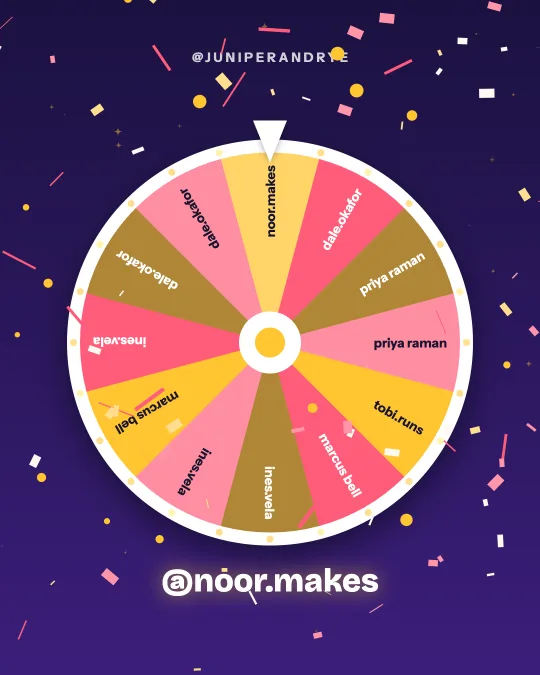
Prize Wheel
A game-show wheel labelled with real entrants spins, slows and stops on the winner.
 Premium
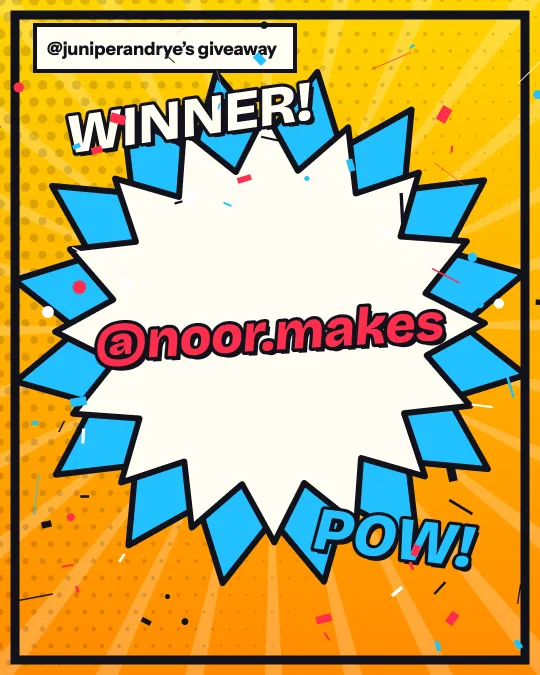
Comic Pop
Halftone dots, speed lines and a big POW when the winner lands.
 Premium
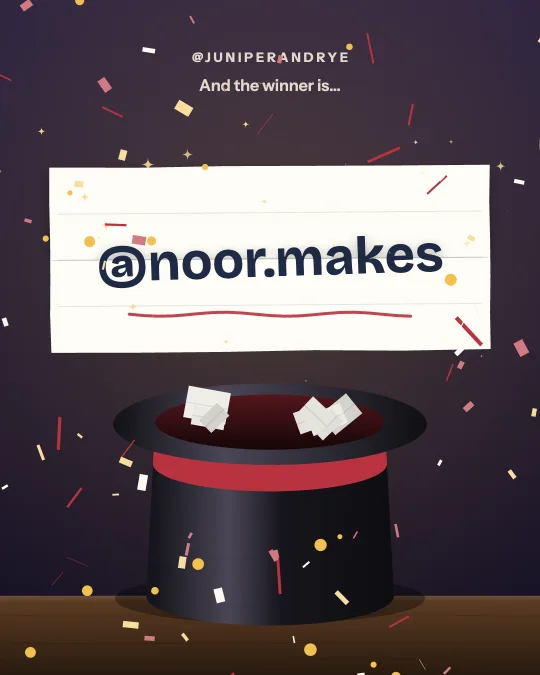
Top Hat
The classic: a folded paper slip is pulled out of a top hat and opens on the winner’s name.
 Premium
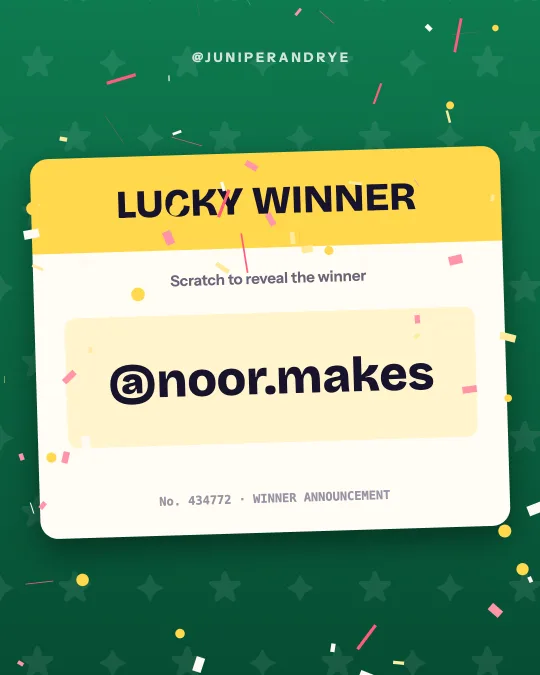
Scratch Card
A lucky ticket: a coin scratches the silver off to show the winner underneath.
How it works
Type who won
One name or @handle, or several (up to 200). The first five each get their own reveal.
Pick a template
Browse 50 styles by holiday, industry or look. Each one plays with your names as soon as you tap it.
Make it yours
Choose a color set or your own colors, add a logo, and pick 9:16, 4:5 or 1:1.
Download and post
Confetti Cannon and Classic Roll download free with a small winnerreveal.com credit. Every other template is $4.99 for that video, or included with WinnerReveal Pro.
Friday afternoon, on the board
Student of the week, star of the day, table of the week, the class that read the most minutes, the winner of the spelling bee. Children love a reveal, and a magic hat or a confetti cannon on the classroom board turns a certificate into an event. Open the studio on the classroom computer, type the name before the class comes in, and press Replay when everyone is on the carpet.
You do not need to download anything to do that. Playing a template in the browser is free for every style, with a faint preview mark on the premium ones.
Free styles for school use
Confetti Cannon and Classic Roll download free, so a video for the class page or a parents' newsletter costs nothing. The other templates are $4.99 per video if you want one without the preview mark. A school that announces every week across several classes would do better with WinnerReveal Pro at $9 a month.
Keep children's names private
Type a first name only, or a first name and an initial. The name you type is stored with your video so you can come back to it, and the video's public page is switched off unless you turn it on. Videos made without an account are deleted after 30 days. Follow your school's policy before posting any child's name or picture where the public can see it.
No pupil needs an account and nothing is installed.
A fair pick for jobs and prizes
When the point is that everyone has the same chance, such as who feeds the class pet or who wins the raffle prize, paste the class list under Pick the winner for me. The site picks at random and the reveal plays with the chosen name. You can show the class the results page afterwards as a small lesson in fairness: the list was locked before the pick, and anyone can rerun it and get the same answer.
Templates children enjoy
Magic Hat taps a wand and a card rises out of the hat. Confetti Cannon fires two cannons. Prize Wheel spins and slows. Comic Pop lands the name with a big comic-book burst. Scratch Card scratches silver off a ticket. Seasonal templates such as Snow Globe and The Nice List suit the last week of term.
Every template comes in three shapes from the same design: 9:16 (1080 x 1920), 4:5 (1080 x 1350) and 1:1 (1080 x 1080). Pick the shape in the studio, download, then switch shape and download again if you post in more than one place.
Questions
Is WinnerReveal free?
Every one of the 50 templates previews free, with a watermark across the preview. Confetti Cannon and Classic Roll download free with a small winnerreveal.com credit. Downloading any other template, or using your own colors and logo, is $4.99 for that video or included with WinnerReveal Pro.
Do I need a giveaway to use it?
No. Type any name and you get a video that announces it: a raffle winner, a contest winner, an employee of the month, a student of the week, a birthday name. The giveaway tools are there if you want them.
Do pupils need accounts?
No. One teacher makes the video in a browser. Nobody signs in for the free styles.
How many names can one video announce?
Up to 200. The first five names each get their own reveal, in the order you typed them, and the closing card lists the winners (a long list is shortened with a count of the rest). Most people use one to five.
Where is the video made?
In your browser. The animation is drawn on your screen and recorded there, then saved to your device. Keep the tab open until the recording finishes.